
Scoopz Not Working: Complete Troubleshooting Guide (2026)
This covers everything except login — for sign-in, password reset, or verification code issues, see our Login Issues & Fixes guide instead. Below is every other way Scoopz commonly breaks, and what actually fixes each one.
General Fixes to Try First (Before Anything Specific)
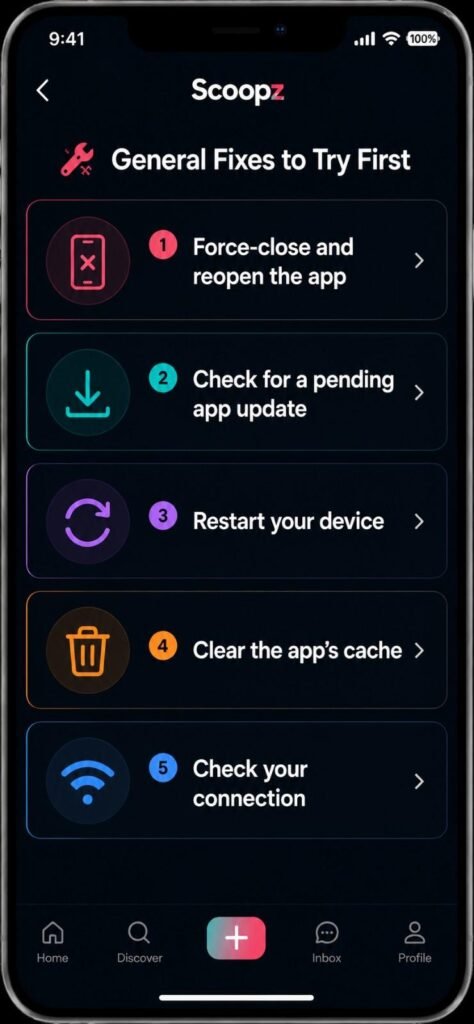
Most Scoopz issues, regardless of symptom, respond to one of these:
- Force-close and reopen the app — not just backgrounding it, a full close
- Check for a pending app update — many bugs get patched in the next release before they get officially acknowledged anywhere
- Restart your device — clears a surprising number of stuck-state app issues
- Clear the app’s cache (Android: Settings → Apps → Scoopz → Storage → Clear Cache) — this doesn’t delete your account or content, just temporary local data
- Check your connection — switch between Wi-Fi and mobile data, since some symptoms that look like app bugs are actually network timeouts
If none of these resolve it, work through the specific issue below.
“Server Error” or Feed Won’t Load
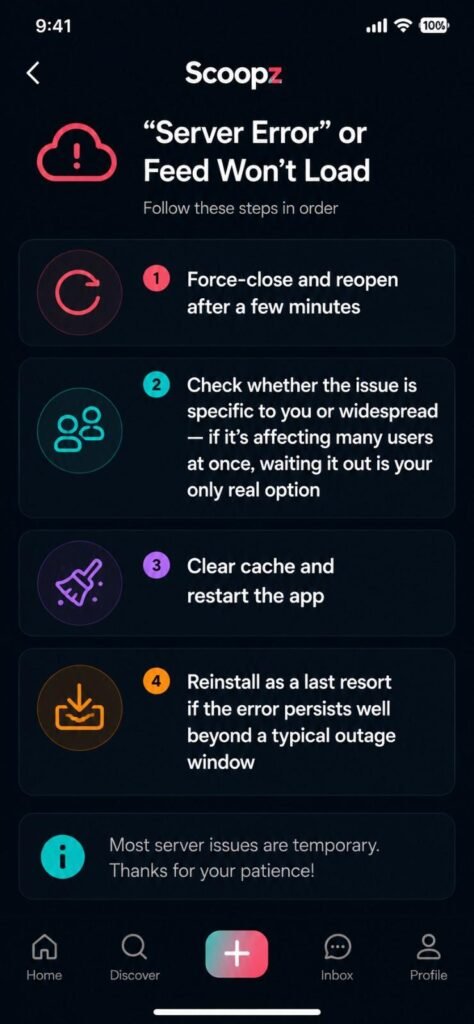
This is one of the most frequently reported issues. Usually it’s temporary and resolves within minutes to hours — Scoopz’s backend, like any platform’s, has occasional outages. Steps in order:
- Force-close and reopen after a few minutes
- Check whether the issue is specific to you or widespread — if it’s affecting many users at once, waiting it out is your only real option
- Clear cache and restart the app
- Reinstall as a last resort if the error persists well beyond a typical outage window
Feed Showing Repeated Videos
A commonly reported quirk rather than a device-specific bug. There’s no user-side fix that reliably resolves this — it appears tied to how the recommendation system refreshes content. Force-closing and reopening the app sometimes temporarily clears it, but don’t expect a permanent fix from your end; it’s a platform-side behavior.
Videos Won’t Play / Buffer Endlessly
- Confirm your connection is stable — vertical video feeds are more sensitive to spotty connections than static content
- Lower background app usage that might be competing for bandwidth
- Update the app — video playback bugs are among the more commonly patched issue types
- If only specific videos won’t play (not the whole feed), that’s more likely a problem with that specific upload than your device or connection
Upload Failed
The most common causes, in order of likelihood:
- File size or format — export your video as MP4 before uploading if you recorded or edited it elsewhere; extremely large files are the single most common cause of failed uploads
- Unstable connection during upload — uploading over a strong Wi-Fi connection rather than mobile data reduces failure rate significantly
- App needs updating — as with playback, upload bugs are commonly patched between versions
- Insufficient device storage — some upload failures are actually local storage issues on your device, not the app or your connection
If uploads consistently fail even on a strong connection with a reasonably sized file, try a different video file entirely to rule out a corrupted export from your video editor.
Broken Share Links
Reported to often resolve after updating to the latest available app version. If a specific link you shared isn’t working for others, try regenerating the share link from within the app rather than reusing an old one, since share links can expire or break after app updates change the underlying link format.
App Crashes on Open or Freezes Mid-Use
- Restart your device
- Confirm you’re on the latest official version from the App Store or Play Store
- Check available storage — a nearly-full device can cause otherwise-unrelated app instability
- Uninstall and reinstall from the official store if the above doesn’t resolve it
- If it only crashes on specific actions (e.g., opening the camera, opening a specific video), that’s worth noting since it points to a feature-specific bug rather than a general app problem
Notifications Not Arriving
- Check the app’s notification permission in your device’s system settings (Android: Settings → Apps → Scoopz → Notifications; iOS: Settings → Scoopz → Notifications)
- Confirm background app refresh (iOS) or battery optimization restrictions (Android) aren’t preventing the app from receiving push notifications while closed
- Log out and back in if notifications stop working after being previously fine — this can reset a stuck notification token
Account Banned, Restricted, or Videos Rejected
This is a moderation outcome, not a technical bug, and needs a different approach than the fixes above:
- Restricted/limited account — appeal through the in-app report/appeal flow; there’s no technical workaround
- Individual videos rejected — some creators report inconsistent moderation outcomes (similar content treated differently across posts); if you believe a specific rejection was made in error, use the in-app appeal option rather than repeatedly re-uploading the same content, which can compound moderation flags rather than resolve them
- Full account ban — contact Scoopz’s official support channel directly; there’s no legitimate third-party service that can expedite or reverse this
Saving Videos Isn’t Working
Scoopz’s save feature is per-video and depends on whether the original creator has enabled sharing/saving for that specific post — it’s not a universal app setting. If save isn’t appearing as an option, that’s most likely the creator’s setting, not a bug on your end.
When None of This Works
If you’ve worked through the relevant section above and the issue persists:
- Confirm it’s not a known widespread outage (check the app’s own social channels or recent reviews for similar reports)
- Try a full uninstall/reinstall as a final technical step
- Contact Scoopz’s official in-app support with specifics: your device type, app version, and exactly what you were doing when the issue occurred — vague reports are harder to get resolved than specific ones
Frequently Asked Questions
This guide is independent and not affiliated with, endorsed by, or operated by Local AI, Inc. or Scoopz. Troubleshooting steps reflect general app-troubleshooting best practices and publicly reported user experiences, not official Scoopz documentation.