
Scoopz Payout Timeline & Stripe Guide (2026)
If you’re wondering when Scoopz actually pays out, how Stripe fits in, or why your payment hasn’t arrived yet, this guide covers the mechanics directly from Scoopz’s own published Creator Fund policy — no fabricated payment screenshots, no invented dollar amounts, just how the process actually works and what to check if it stalls.
A note on “payment proof”: you’ll find sites showing screenshots claiming to prove Scoopz payouts. Treat these with real skepticism — a screenshot of a bank balance or Stripe dashboard is trivially easy to fabricate and impossible for a reader to verify. This guide won’t show you a fake screenshot pretending to be evidence; instead, it explains the actual published mechanics so you can verify your own payout status directly.
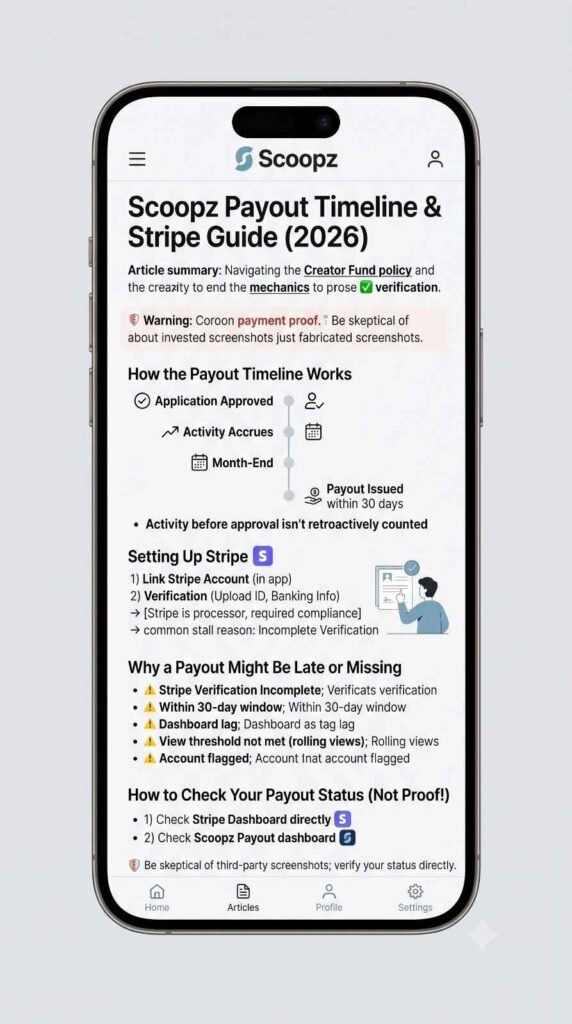
How the Payout Timeline Works
- Scoopz calculates and issues Creator Fund payments on a monthly cycle
- Payout is issued within 30 days after the end of each calendar month
- Funds are deposited via your linked Stripe account
- Your earnings only begin accruing after your Creator Fund application is approved — activity before approval isn’t retroactively counted
In practice, this means: if you’re approved partway through a month, that month’s activity from before approval doesn’t count toward payout, and your first real payout cycle effectively starts from your approval date, not your signup date or your first viral video.
Setting Up Stripe for Scoopz Payouts
Stripe is Scoopz’s payout processor — you’ll need to link an account as part of the Creator Fund application, and identity verification through Stripe is a hard requirement, not optional:
- During the Creator Fund application, you’ll be prompted to connect or create a Stripe account
- Stripe will require standard identity verification (government ID, banking details) — this is Stripe’s own compliance requirement, not something Scoopz can bypass or expedite
- Incomplete Stripe verification is one of the most commonly reported reasons for a stalled or missing payout, even when a creator’s content metrics qualify
- Once verification is complete and your application is approved, payouts should flow automatically on the monthly cycle without further action from you
If your Stripe account is already used for something else (another platform, a business), you can typically still link it, but make sure you’re monitoring the right account for incoming Scoopz payments rather than assuming a notification will make it obvious.
Why a Payout Might Be Late or Missing
In rough order of likelihood:
- Stripe verification incomplete — check your Stripe account directly for any pending verification steps or flagged issues
- You’re within the 30-day window still — payout is issued within 30 days after month-end, not on a fixed specific date, so “late” often just means still within the published window
- Application approved but qualified-view threshold not met that specific month — the 3,000 follower / 100,000 qualified view requirement applies on a rolling basis; a slower month can mean a smaller or absent payout even after initial approval
- Dashboard lag — some creators report a delay between actual approval/payout processing and the in-app dashboard reflecting it accurately
- Account or content flagged during the payout period — a moderation issue on your account can affect that cycle’s payout independent of your view/follower numbers
How to Check Your Own Payout Status (Instead of Trusting a Screenshot)
- Check your Stripe dashboard directly for incoming transfers from Scoopz — this is the actual source of truth, not a claim on a third-party website
- Check Scoopz’s in-app Creator Fund dashboard, if it displays payout or earnings history
- If both show nothing and you’re past the 30-day window with confirmed approval and qualifying activity, that’s the point to contact Scoopz’s official support directly rather than continuing to guess
A Note on Taxes
Payments received through Stripe for Creator Fund earnings are generally treated as self-employment or miscellaneous income for US tax purposes, and may generate a 1099 form once you cross the relevant reporting threshold. This isn’t tax advice — if Creator Fund income becomes meaningful for you, talk to a tax professional familiar with creator/gig income rather than relying on generic guidance from any guide, including this one.
Frequently Asked Questions
This guide is independent and not affiliated with, endorsed by, or operated by Local AI, Inc., Scoopz, or Stripe. Payout mechanics and requirements can change — always confirm current terms directly inside the official app and through your own Stripe account.